
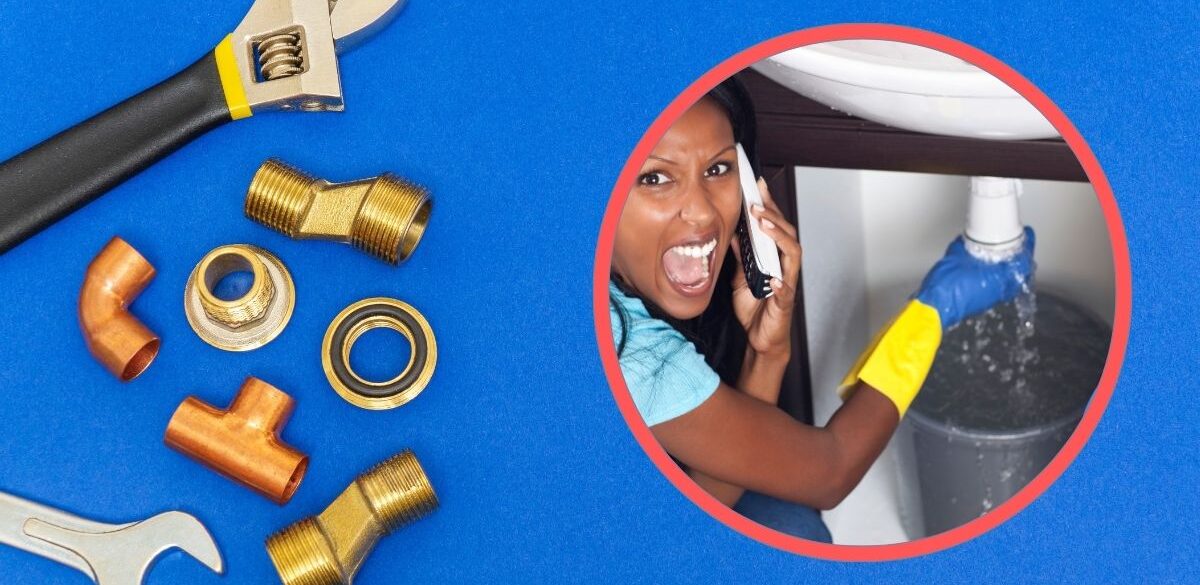
Running a plumbing business involves much more than repairing pipes and installing fixtures. In addition, plumbing companies must manage customer appointments, dispatch technicians, prepare estimates, send invoices, collect payments, order materials, and track employee schedules every day. Without an efficient system, handling these tasks manually can lead to mistakes, missed appointments, delayed payments, and dissatisfied customers. Fortunately, modern plumbing software simplifies daily operations by bringing all these essential functions into one easy-to-use platform. Whether you are an independent plumber or manage a large team of technicians, the right software can improve productivity, enhance customer satisfaction, and support long-term business growth.
Moreover, today’s plumbing software offers a wide range of powerful features, including online scheduling, GPS technician tracking, customer relationship management (CRM), invoicing, payment processing, inventory management, reporting, and accounting integrations. In addition, many platforms provide mobile apps that allow technicians to access job details, update work orders, and collect payments directly from the field. At Vingua, we research and review business tools that help service professionals streamline operations and make smarter business decisions. In this article, we compare the best plumbing software, highlight its key features, discuss its advantages, and explain how to choose the right solution for your plumbing business.
Quick Comparison Table
| Software | Best For | Mobile App | Scheduling | Invoicing | CRM | Free Trial |
|---|---|---|---|---|---|---|
| Jobber | Small & medium businesses | Yes | Yes | Yes | Yes | Yes |
| ServiceTitan | Large plumbing companies | Yes | Yes | Yes | Yes | Demo Available |
| Housecall Pro | Residential service businesses | Yes | Yes | Yes | Yes | Yes |
| FieldPulse | Growing contractors | Yes | Yes | Yes | Yes | Yes |
| Service Fusion | Service management | Yes | Yes | Yes | Yes | Demo |
| Workiz | Dispatch teams | Yes | Yes | Yes | Yes | Yes |
| mHelpDesk | Field service companies | Yes | Yes | Yes | Yes | Demo |
| FieldEdge | Established plumbing businesses | Yes | Yes | Yes | Yes | Demo |
| ServiceM8 | Small service businesses | Yes | Yes | Yes | Yes | Yes |
| Kickserv | Small contractors | Yes | Yes | Yes | Yes | Yes |
| RazorSync | Mobile field service | Yes | Yes | Yes | Yes | Demo |
1. Jobber
Jobber is one of the most popular field service management platforms for plumbing companies. It combines scheduling, invoicing, customer management, quoting, and payment processing into one cloud-based system.
Best For :
- Small plumbing businesses
- Growing contractors
- Independent plumbers
Key Features :
- Online scheduling
- Client management
- Estimates and quotes
- Digital invoicing
- Online payments
- Job tracking
- Route optimization
- Mobile application
- Automated reminders
Pros :
- Easy to use
- Excellent mobile app
- Professional invoices
- Strong customer support
- Good automation features
Cons :
- Advanced reporting is limited on lower plans.
- Larger companies may outgrow entry-level features.
2. ServiceTitan
ServiceTitan is a comprehensive business management platform designed for larger plumbing and HVAC companies.
Best For :
- Large plumbing businesses
- Multi-location operations
- Growing service companies
Key Features :
- Advanced dispatching
- Real-time technician tracking
- CRM
- Marketing tools
- Call booking
- Reporting dashboards
- Payroll integrations
- Inventory management
- Financing options
Pros :
- Enterprise-level features
- Excellent reporting
- Strong automation
- Scalable platform
Cons :
- Higher pricing
- Longer implementation process
3. Housecall Pro
Housecall Pro is well known for its user-friendly interface and complete field service management tools.
Best For :
- Residential plumbers
- Small businesses
- Mobile service companies
Key Features :
- Online booking
- Estimates
- Technician dispatch
- Customer communication
- Payment processing
- Review requests
- Marketing automation
Pros :
- Easy setup
- Attractive customer portal
- Strong scheduling tools
- Helpful mobile app
Cons :
- Limited advanced customization
4. FieldPulse
FieldPulse helps contractors organize field operations while improving customer communication.
Key Features :
- Job scheduling
- Time tracking
- CRM
- Estimates
- Digital forms
- Inventory tracking
- Team messaging
- Reporting
Pros :
- Modern interface
- Affordable pricing
- Easy onboarding
- Excellent customer support
Cons :
- Some advanced reports require higher-tier plans.
5. Service Fusion
Service Fusion offers a balanced combination of scheduling, dispatching, invoicing, and customer management.
Best For :
- Medium-sized plumbing companies
Features :
- Customer database
- Technician scheduling
- GPS tracking
- Invoice management
- Inventory tracking
- Reporting
- Payment integrations
Pros :
- Strong scheduling tools
- Good automation
- Affordable compared to enterprise platforms
Cons :
- Interface feels dated in some areas.
6. Workiz
Workiz focuses on dispatching and technician management for home service companies.
Key Features :
- Technician scheduling
- Dispatch board
- Online booking
- Estimates
- CRM
- Phone integration
- Payment collection
Pros :
- Easy dispatching
- Excellent communication tools
- Good automation
Cons :
- Some premium features increase subscription costs.
7. mHelpDesk
mHelpDesk has been serving field service businesses for many years.
Features :
- Work order management
- Scheduling
- Customer database
- Inventory
- Mobile app
- Quotes
- Invoicing
Pros :
- Mature platform
- Reliable functionality
- Good integrations
Cons :
- Interface appears older than newer competitors.
8. FieldEdge
FieldEdge is designed for contractors who need advanced scheduling and accounting integrations.
Features :
- Dispatching
- Technician management
- Customer history
- Equipment tracking
- Maintenance agreements
- QuickBooks integration
- Reporting
Pros :
- Excellent accounting integration
- Strong field management
- Detailed reporting
Cons :
- Pricing may not suit very small businesses.
9. ServiceM8
ServiceM8 is popular among small plumbing businesses because of its simplicity.
Best For :
- Independent plumbers
- Small service teams
Features :
- Quotes
- Scheduling
- Job management
- Digital forms
- Customer communication
- Online payments
Pros :
- Easy to learn
- Flexible pricing
- Excellent mobile experience
Cons :
- Fewer enterprise features
10. Kickserv
Kickserv helps contractors manage customers, jobs, and invoices efficiently.
Features :
- Scheduling
- CRM
- Estimates
- Job tracking
- Invoicing
- Reporting
- Mobile access
Pros :
- Affordable
- Good customer support
- Easy setup
Cons :
- Reporting is less advanced than premium competitors.
11. RazorSync
RazorSync offers field service management tools with strong mobile functionality.
Features :
- Scheduling
- Dispatching
- GPS tracking
- Estimates
- Invoicing
- Customer management
- Inventory tracking
Pros :
- User-friendly
- Mobile-focused
- Good scheduling
Cons :
- Interface could be more modern.
Essential Features Every Plumbing Software Should Include
Before purchasing any software, ensure it offers the features your business needs.
Job Scheduling : Efficient scheduling reduces missed appointments and improves technician productivity.
Look for :
- Calendar management
- Drag-and-drop scheduling
- Automatic reminders
- Technician availability
Dispatch Management : Dispatching tools assign jobs quickly and help technicians reach customers faster.
Features include :
- GPS routing
- Technician tracking
- Route optimization
- Real-time updates
Customer Relationship Management (CRM) : A built-in CRM stores customer information such as :-
- Contact details
- Service history
- Previous invoices
- Notes
- Equipment records
This improves customer service and supports repeat business.
Estimates and Quotes : Professional estimates help convert more leads.
Good software allows you to :
- Create digital quotes
- Email estimates
- Collect approvals
- Convert estimates into jobs
Invoicing : Fast invoicing improves cash flow.
Look for :
- Digital invoices
- Automatic payment reminders
- Online payments
- Tax calculations
- Recurring invoices
Payment Processing : Modern customers expect flexible payment options.
Support for :
- Credit cards
- Debit cards
- Mobile wallets
- ACH transfers
can improve the customer experience.
Mobile Applications : Field technicians benefit from mobile access.
Apps allow them to :
- View schedules
- Update jobs
- Capture signatures
- Upload photos
- Collect payments
- Access customer history
Inventory Management : Inventory tools help track :-
- Pipes
- Valves
- Water heaters
- Fittings
- Tools
- Replacement parts
Better inventory management reduces delays and unnecessary purchases.
Reporting and Analytics : Detailed reports help owners understand business performance.
Useful reports include :
- Revenue
- Technician productivity
- Job profitability
- Customer retention
- Outstanding invoices
- Sales performance
Accounting Integrations : Many plumbing businesses already use accounting software.
Look for integrations with :
- QuickBooks
- Xero
- Sage
- FreshBooks
Integration reduces duplicate data entry.
Benefits Of Plumbing Software
Using dedicated software offers numerous advantages.
- Improved Productivity : Automation reduces manual administrative work.
- Better Customer Service : Faster scheduling and communication improve customer satisfaction.
- Increased Revenue : Professional estimates and quicker invoicing often lead to improved cash flow.
- Stronger Organization : Centralized data makes managing customers and technicians easier.
- Better Decision-Making : Reporting tools provide valuable insights into business performance.
How Plumbing Software Helps Local Businesses Grow
Whether your company serves Plumbers In Houston or Plumbers In San Antonio, the right software helps manage increasing workloads without sacrificing customer service. As your customer base expands, software can help you :-
- Schedule more jobs each day
- Reduce technician travel time
- Respond to emergency service requests faster
- Track service history across multiple locations
- Improve communication between office staff and field technicians
- Monitor business performance with real-time reports
- Deliver a more professional customer experience
By streamlining daily operations, plumbing software allows business owners to focus on growth instead of paperwork.
How To Choose The Best Plumbing Software
Consider these factors before making a decision.
- Company Size : Small businesses often need affordable, easy-to-use software, while larger companies may require advanced reporting and automation.
- Budget : Compare subscription costs with the features offered.
- Ease Of Use : Choose software your office staff and technicians can learn quickly.
- Mobile Support : A reliable mobile app is essential for field service businesses.
- Customer Support : Responsive technical support helps minimize downtime.
- Scalability : Select software that can grow with your business.
- Integrations : Ensure it connects with your accounting, payment, and communication tools.
Frequently Asked Questions (FAQs)
Plumbing software is a business management platform designed to help plumbing companies schedule jobs, dispatch technicians, manage customers, create estimates, send invoices, process payments, and monitor business performance from one centralized system.
Solutions such as Jobber, Housecall Pro, ServiceM8, and Kickserv are popular choices for small plumbing businesses because they are relatively easy to use and include essential field service features.
For many businesses, yes. By automating scheduling, invoicing, customer communication, and reporting, plumbing software can improve efficiency, reduce administrative work, and support business growth.
Many leading platforms integrate with accounting software such as QuickBooks, Xero, and Sage, helping reduce manual data entry and improve financial accuracy.
Most modern plumbing software includes mobile applications that allow technicians to access schedules, update job statuses, collect payments, capture signatures, and communicate with the office while in the field.
Start by evaluating your business size, budget, required features, ease of use, mobile capabilities, integrations, customer support, and long-term growth plans. Taking advantage of free trials or product demonstrations can also help you compare solutions before making a decision.
Final Thoughts
The right plumbing software can transform the way your business operates by simplifying scheduling, dispatching, invoicing, customer management, reporting, and payment collection. Instead of spending valuable time on manual administrative tasks, you can focus on delivering excellent service and growing your customer base.
Before choosing a platform, carefully compare features, pricing, scalability, mobile functionality, and integration options. Selecting software that matches your current needs while supporting future growth will help improve efficiency, increase profitability, and create a better experience for both your team and your customers.